Whether you’re creating designs, building a website, or designing marketing materials, the right AI image generator can revolutionize the art-making process. Years of technical drawing experience is no longer required for transforming an imaginative thought into a clear, graphic. With a few curious clicks, these tools will make anyone create impressive visuals.
What makes a great Generator?
Not all tools are suitable for all jobs. There are some generators that specialize in hyper-realistic photos. Some are good at storybook illustrations, others at retro vector art.
If you’ve decided on a platform, here are a few things to consider:
- Prompt accuracy: Is the software itself accurate in what it’s saying?
- Are the hands, eyes, textures and lines clean (image detail)?
- Speed: What is the speed of its results?
- Commercial Rights: May use the output on merchandise, client work or social advertisements?
- The user-friendliness of the dashboard: Do you need coding skills or is the dashboard easy to use?
- Top Picks for Visual Work
- Here are the stand-outs in the creative space these days when it comes to image generators.
Midjourney: Ideal for photorealism and art.MidJourney
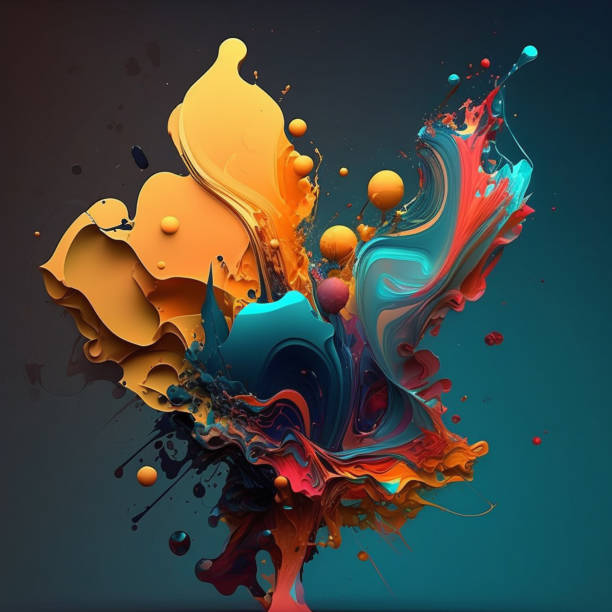
For immacate aesthetics, Midjourney is still the preferred option. Gives a lot of light, good levels of detail, and beautiful depth of field. It is used by artists for concept art, fashion mockups and movie scenes.
Mid Journey is used in Discord. The system types a prompt into a chat box which then offers you 4 options within seconds. Currently, it doesn’t have a free plan, but the standard paid plan will provide decent speed at generation time. When it comes to painterly portraits or photorealistic nature shots, Midjourney seldom fails to deliver.
For precise details and text, use Dall-e 3.Use Dall-e 3 for precise details and text.
DALL-E 3 is a creation from OpenAI and is integrated into ChatGPT and Microsoft Copilot. It has a few strengths and its primary one is conversational logic. You can compose lengthy and complicated prompts, and DALL-E 3 will respect each instruction without getting confused.
It also can write readable text within images. The older AI models would make gibberish text on t-shirts and street signs that were difficult to read. DALL-E 3 tackles this issue well. Easy to make logos, comic strips and posters with readable words.
Adobe Firefly is the best choice for commercial safety applications.
When creating assets for clients, it’s important for copyright safety. Firefly was trained using only licensed Adobe Stock images, openly licensed images and public domain images. That will render your works virtually without liability of copyright.
Firefly is incorporated right into Photoshop, Illustrator and a standalone web app. Replace objects in specific areas of a photo in seconds by painting over them with new objects. This capability is known as Generative Fill, and it can save the professional retouchers hours of tedious cloning.
Stable Diffusion: Perfect for complete control users.
Stable Diffusion is free, open-source and is available for all computer hardware. With a good graphics card, you can generate thousands of pictures for free each month.
It’s open-source, so there are hundreds of plugins available for the community to develop. Character poses can be locked with ControlNet, trained from a set of your own or picked up from the community. It is tedious to setup and familiarize yourself with, but it will give you more control than any closed Web service.
Canva Magic Media: Ideal for Quickly Creating Graphics
Canva is the favorite tool of social media managers and small businesses. Its Magic Media tool takes AI generation right to your design space.
You can create an image and then drop it in any Instagram story template, business flyer or pitch deck. Not as nuanced artistically as Midjourney, but for the ease of daily posts, there’s no match.
Feature Comparison Table
| Tool | Primary Strength | Skill Level | Free Option |
|---|---|---|---|
| Midjourney | Hyper-realism & fine art | Intermediate | No |
| DALL-E 3 | Complex prompts & text | Beginner | Yes (via Copilot) |
| Adobe Firefly | Commercial safety & photo editing | Beginner to Pro | Yes (limited credits) |
| Stable Diffusion | Deep customization & privacy | Advanced | Yes (free offline) |
| Canva Magic Media | Social media & marketing layouts | Beginner | Yes (limited credits) |
To write clean prompts, here are some tips:
Great art comes with great prompts. Try these simple changes if you do not see your results clearly or vividly:
- Start your prompt by telling what the art is: medium first. These can include “watercolor painting,” “vintage 35mm photograph,” “clay model” or “vector logo.
- Explain how lighting creates atmosphere: Light creates atmosphere. Include phrases such as “morning sunlight”, “candle light is dim”, “Neon cyberpunk lights”, or “sky is overcast”.
- Be succinct with words: Don’t use a dozen buzzwords in one sentence, such as “ultra 8k photorealistic hyper quality. Speak naturally. Stick to the subject, colors, setting and background.
- Use incremental changes: If an image is very similar to the desired image, even make only minor changes to a word in the prompt rather than entirely creating a new prompt from scratch.
- Finding the Right fit for You
This will depend on your budget and experience.
For new users, launch Microsoft Copilot or Canva. They are not expensive to test and their chat interfaces are friendly and easy to use.
Adobe Firefly is a tool that can be used by freelance designers without legal issues, as it can be integrated into their current toolset.
If you are a fine artist or concept designer looking for stunning results, then Midjourney is a worthwhile monthly subscription.
Choose one tool, try out your prompts and create something!
Conclusion
Generative art tools are a new frontier for artists of all abilities. Write website headers, create digital worlds, and try out crazy concepts in seconds. The ideal platform is just the one that suits your day-to-day work and financial resources. Try these ideas, remain curious and let your imagination run wild on your next creative project.
Frequently Asked Questions
So what’s the best tool to use for the absolute beginners?
Canva Magic Media and Microsoft Copilot are the simplest ones as there is no setup required and they have simple web interfaces.
Is it okay to sell AI-generated images?
Yes, if you use platforms such as Adobe Firefly or paid versions of Midjourney and DALL-E that offer commercial licenses.
Is AI Art free?
These are free to use: No. DALL-E 3 via Copilot, basic Canva, and local Stable Diffusion.
So why are some AI images looking weird with their hands?
Hands are intricately shaped and in a variety of positions. They are difficult for older models, but newer ones, such as Midjourney v6 and DALL-E 3, can make the fingers look a lot better.
Is it possible to create images using AI that have readable text on them?
Yes. With DALL-E 3 and later versions of Midjourney, one can easily print out clear, spelled-out words on banners, signs, and labels.