What Is Komo AI? A 2026 Guide to Its Two Products and How to Test Them
Direct answer: Komo AI is a name used for an AI search tool that answers with cited sources, and, in its current official documentation, an “AI Revenue Engine” for sales teams. Pricing reports conflict, so confirm the current plan on komo.ai before paying. Komo’s docs offer a 7-day trial with no card.
Why “Komo AI” is confusing
Search “komo ai” and you will see two different stories.
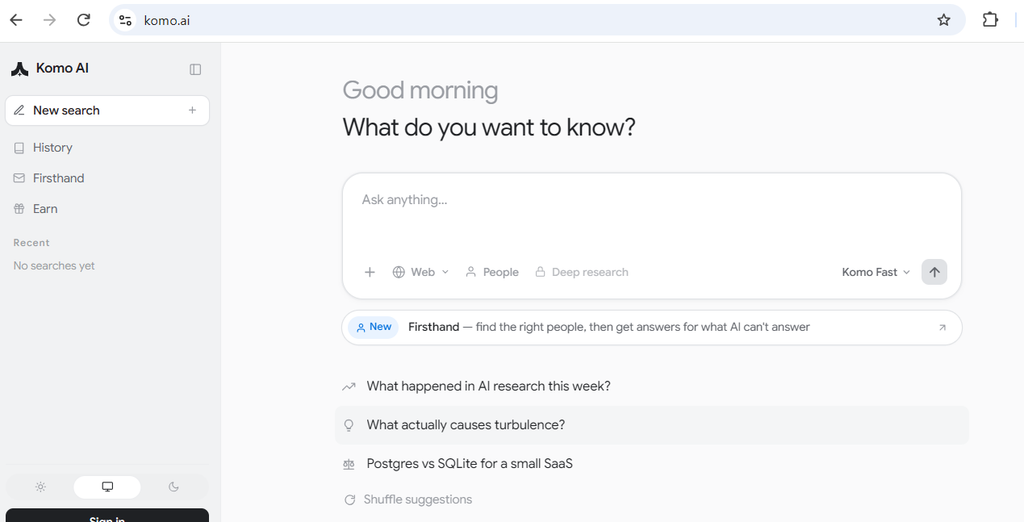
The first like is a search engine. Product Hunt lists the original Komo launch on January 17, 2023, as a search engine powered by generative AI. The komo.ai page I could load describes searching the web and answering with sources.
The second story like is a sales tool. Komo’s documentation describes an “AI Revenue Engine” with CRM records, LinkedIn monitoring, outbound campaigns, and reusable Playbooks.
Here is how to tell them apart.
| If the page talks about… | It is probably describing… |
|---|---|
| Asking questions, cited answers, research | The search product |
| Accounts, contacts, campaigns, inbox, Signal Agents | The sales platform |
| Playbooks, schedules, triggers | The automation layer (Komo Playbook launched January 28, 2026) |
I could not confirm how Komo positions these side by side today. Check komo.ai before you decide which one you need.
What the search side does
Komo’s search product answers a question and shows where the answer came from. Product Hunt reviewers from 2023 liked the reference style, which lists sources like a bibliography. That makes it easier to check a claim yourself.
Reviews are thin, though. Product Hunt shows five reviews. One reviewer said the interface needed work compared with Perplexity. An aggregator site that scored Komo 3.4 out of 5 says independent testing found inconsistent accuracy. Treat that as one report, not a verdict.
The practical rule is easy. For any AI search tool, open two or three cited sources before you rely on an answer.
What the sales platform does
The official docs list seven main jobs:
- Build and enrich account and contact records with cited sources.
- Find prospects through six routes, such as Sales Navigator, CSV upload, and Signal Agents.
- Watch LinkedIn for people who engage with posts you care about.
- Draft email and LinkedIn sequences for you to review.
- Sort replies in an inbox, such as hot lead or unsubscribe.
- Answer questions about an account from your CRM data.
- Save repeated work as Playbooks that run on demand or on a schedule.
The docs say you review every line and your own senders send the messages. That human check matters. It is your protection against off-brand or wrong claims going out.
Komo also offers an MCP server, so tools like Claude or Cursor can connect to it. This is useful if your team already works in those tools.
What Komo costs (and why numbers differ)
The one price statement I can trace to Komo itself is this: the docs say plan structure is still being finalized and buyers should email for a quote. Everything else below comes from third parties.
| Source | What it reported | Notes |
|---|---|---|
| Komo docs (free-trial page) | Plans “still finalizing”; email for a quote | Official |
| Techjockey listing | Essential from $20, Plus from $50 a month | Credits and Playbook counts listed; no date shown |
| hokai.io | Free (25 daily credits), Pro $20, Max $200 | Says it checked komo.ai/pricing on Oct 2, 2026; not verified by us |
| AIChief | Starter $99, Growth $399 | Describes the sales product |
| Aigregator | Custom pricing, no free plan | Reviewed August 2026 |
| Older review sites | $8, $15, $30 plans | Likely outdated |
Why the mismatch? Likely causes are two products, plan changes, and copied listings. That is a reasoned guess, not a verified fact.
What is verified: the trial lasts 7 days, needs no card, and the first charge happens on day 8 only if you added payment. After paying, the refund policy says no refunds.
How to test Komo in 7 days
Use the trial like a small experiment. Decide your pass marks before you start.
Example scenario (illustrative, not a real case): a five-person software startup wants more qualified outbound leads without hiring a sales development rep.
- Day 1: Define success. Write one sentence, such as “10 qualified leads and 3 replies by day 7.” Without this, you will judge by feel.
- Day 1: Connect only what you need. Start with your email and CRM. Add LinkedIn only if you plan to use Signal Agents.
- Day 2: Build one small list. Use one prospecting route. Spot-check 20 records against the real company websites.
- Day 3: Set up one Signal Agent. Use “high precision” mode first, which the docs recommend. Read the first 20 matches yourself.
- Day 4: Launch one small campaign. Read every draft. Note how many you had to rewrite.
- Days 5–6: Review the inbox. Check whether replies were sorted correctly.
- Day 7: Decide. Score the results (see below), then cancel or add payment.
A simple scorecard
| Check | Pass if… |
|---|---|
| Data accuracy | At least 18 of 20 spot-checked records are right |
| Lead quality | You would contact most matched leads |
| Draft quality | Fewer than a third need heavy rewriting |
| Inbox sorting | Replies land in the right category most of the time |
| Cost | The quote fits your budget at your volume |
These pass marks are suggestions. Set your own.
Mistakes to avoid
- Letting the trial lapse into a charge. If you added a card, the first charge is automatic on day 8. Set a reminder for day 6.
- Skipping the quote. Prices vary by source, so get the price in writing.
- Connecting everything at once. More connections mean more to review and more risk.
- Sending drafts unread. Wrong details in outreach hurt your reputation.
- Ignoring rules. Outreach and LinkedIn data use fall under platform terms and local privacy and email laws. Check these with a qualified adviser. This article is not legal advice.
Limits and who should skip it
- Evidence is thin. Public reviews are few and some are years old. I found no independent test with published methods.
- Sales focus. The documentation centers on sales. If you only want a general AI search tool, the search side may be what you want. Test it separately.
- Credits. The docs mention credit costs for tools, so heavy use may cost more than a base price suggests. Ask how credits are counted.
- Security. I could not confirm a published security or compliance page. If you handle sensitive customer data, ask Komo directly.
- Not a fit: teams that need fully autonomous sending, or buyers who cannot accept a no-refund policy after the trial.
FAQ
Is Komo AI free? The docs offer a 7-day full-access trial without a card, then a limited free tier if you don’t pay. One third-party site reports a daily free credit allowance. Confirm on komo.ai.
Is Komo Playbook a different product? Product Hunt lists it as a separate launch from January 28, 2026. The docs treat Playbooks as a feature of the sales platform. Treat it as part of the same company’s offering.
Can I use Komo with Claude? The docs describe an MCP server that works with Claude, Claude Code, Cursor, Codex, and other MCP apps. Setup steps are in the docs.
Next step
Open komo.ai, read the current pricing page, and start the 7-day trial with a written success goal. Cancel before day 8 if the scorecard doesn’t pass.